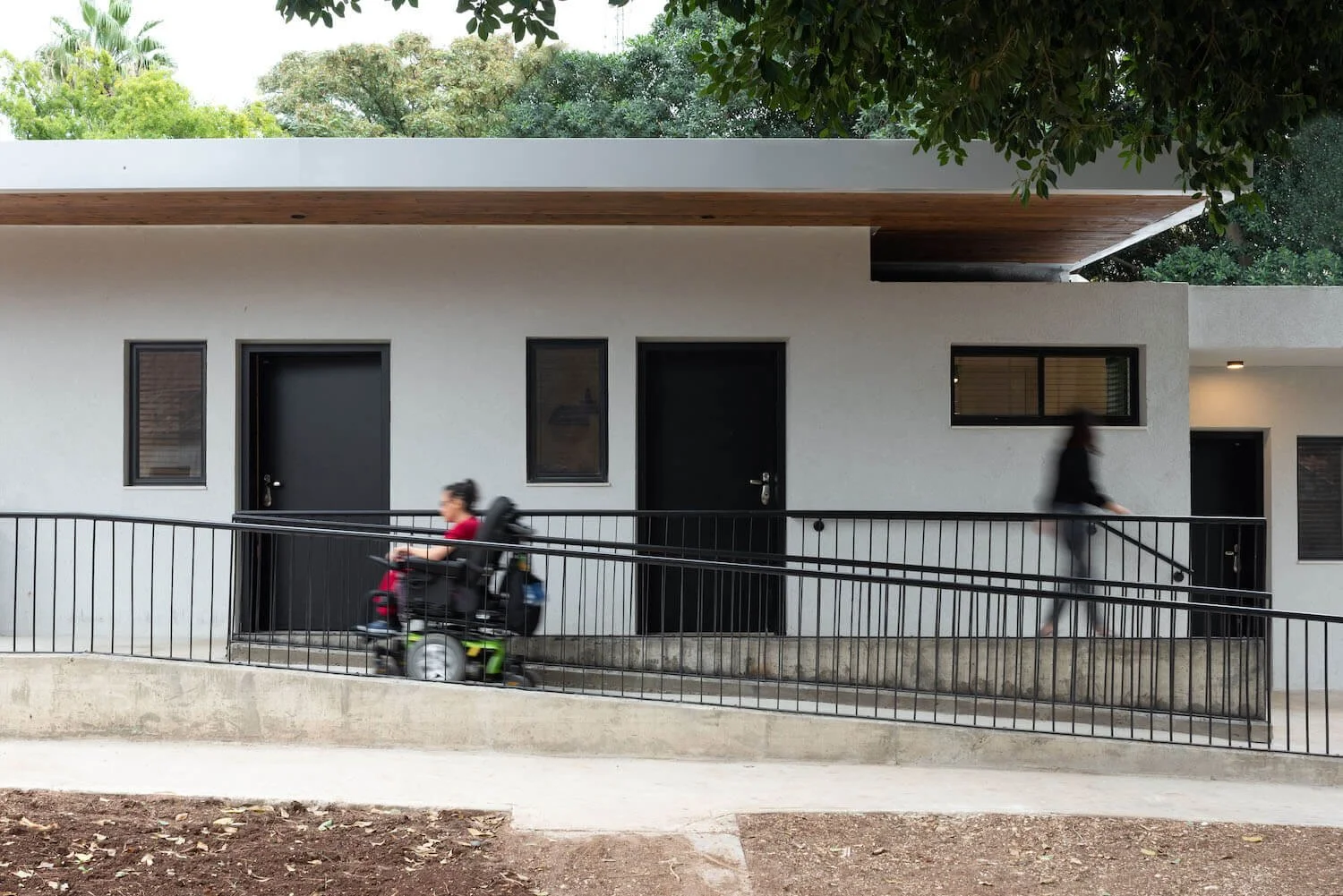
HomeEase
Accessible Housing Made Simple
HomeEase is a housing marketplace that helps people with support needs find accessible homes confidently.
Tools
Figma, FigJam, Adobe Illustrator
Role
UX Researcher, UX Strategist, Product Designer
Project Type
Accessibility + Housing + UX
Background
This case study documents the end-to-end design of HomeEase, from research and problem definition to mid- and high-fidelity MVP designs.
It highlights how research insights translated into flows, wireframes, a focused MVP, and a scalable design system.
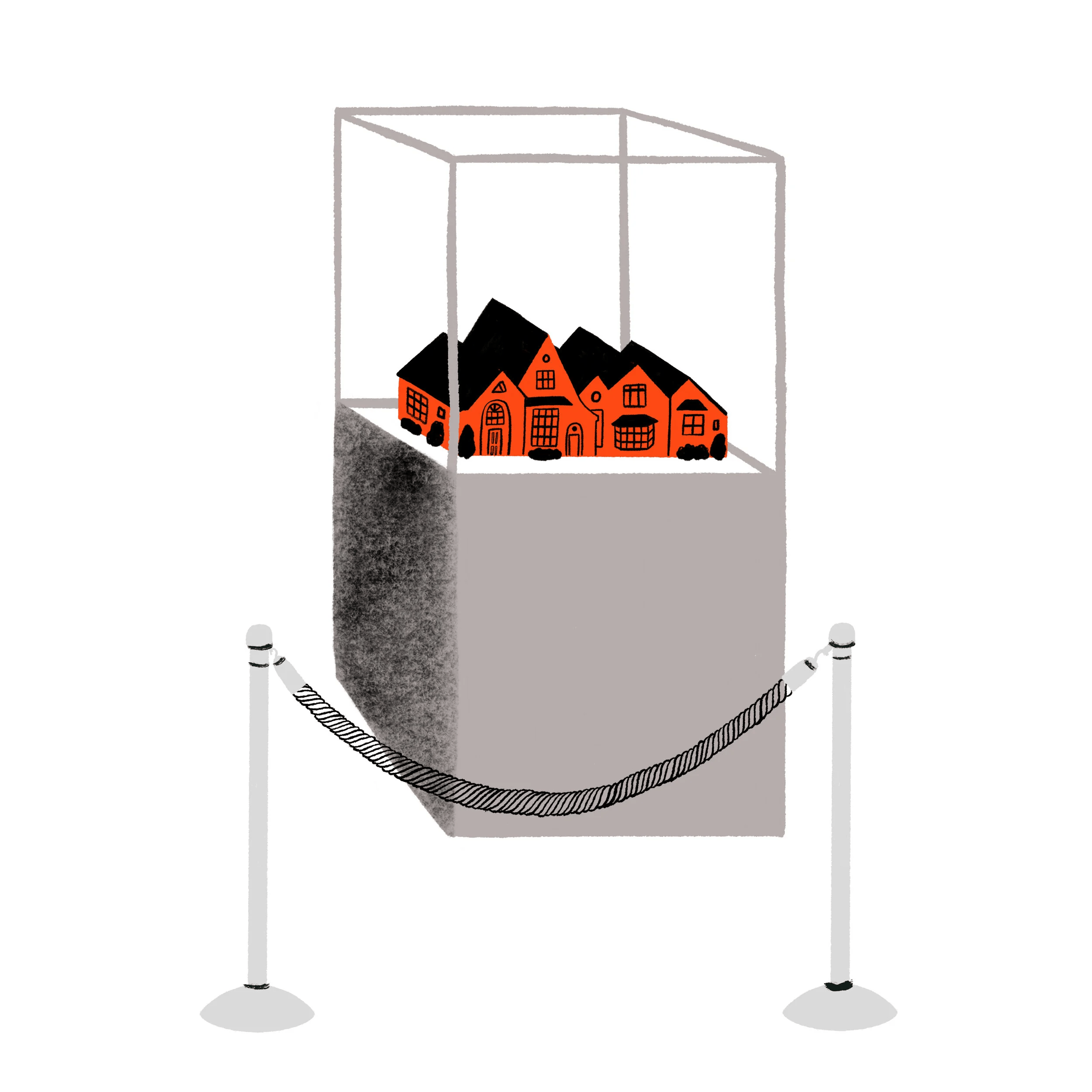
<6%
Illustration by Paige Vickers
The Reality Behind “Accessible”
Millions of Americans struggle to find homes that genuinely meet their accessibility requirements.
Fewer than 6% of U.S. homes are accessible.
Over 900,000 NYC residents identify as having a disability.
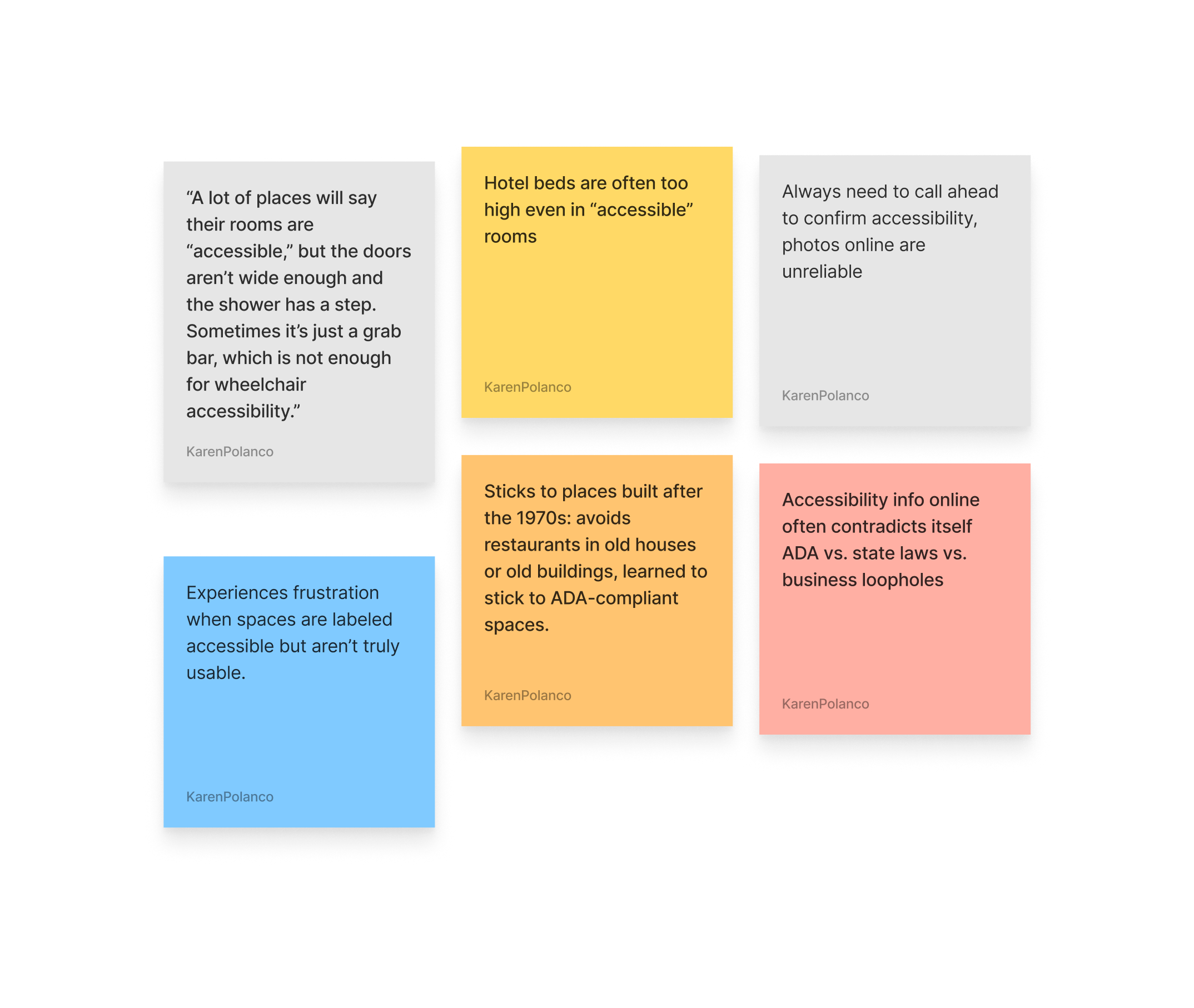
Many reported that “accessible” listings frequently don’t match reality, leading to embarrassment, wasted time, or unsafe conditions.
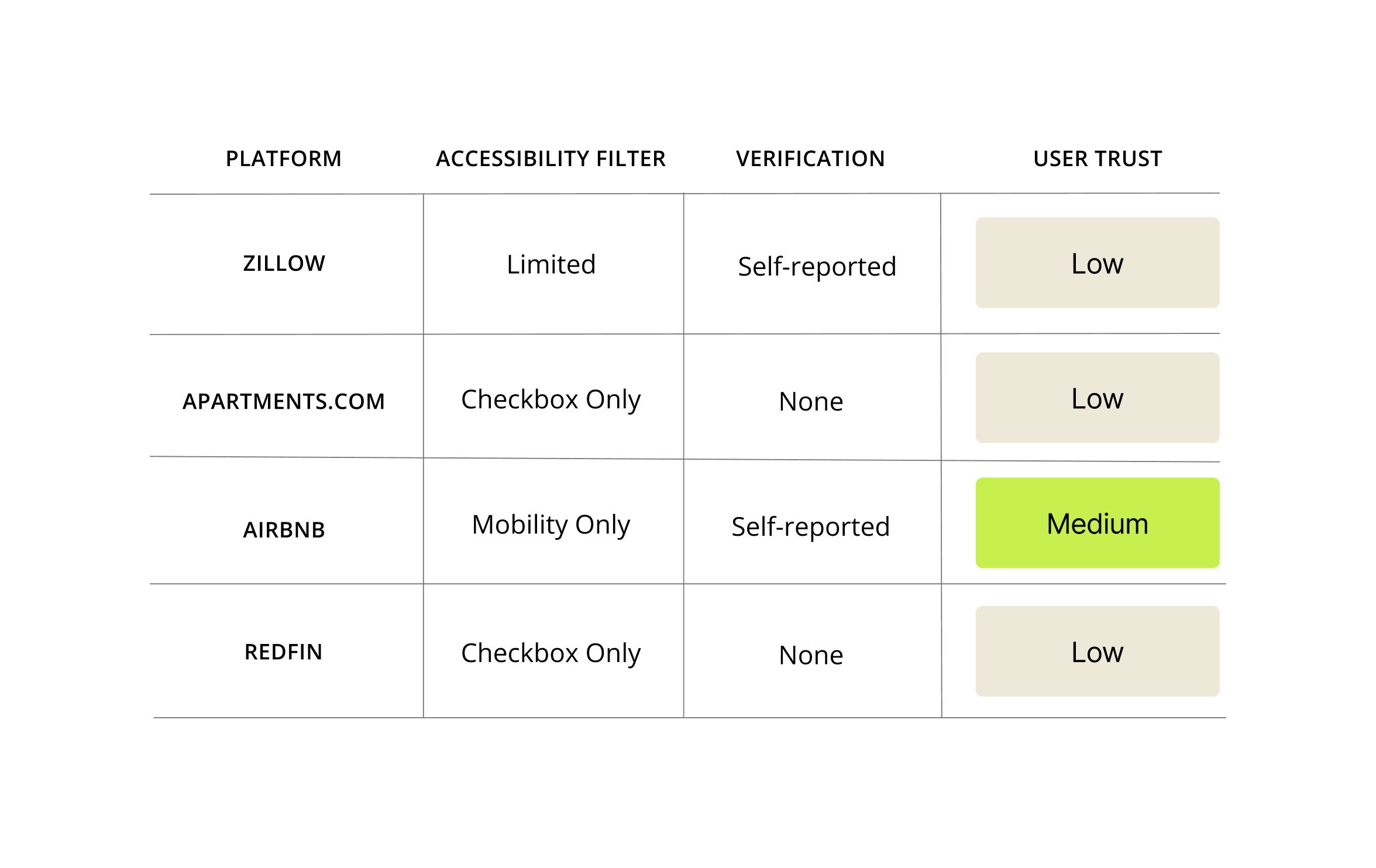
Most existing platforms treat accessibility as an afterthought: a single checkbox, vague wording, or no verification.
Project Goal
Design an experience that reduces the emotional and logistical burden of verifying accessibility by making housing searches more transparent, personalized, and empowering.
Understanding the Lived Experience
To understand how individuals with accessibility needs and their caregivers navigate the housing search today, identify key barriers, and design a more inclusive, transparent, and empowering housing search experience.
User Interviews
5 individuals with mobility, sensory, or cognitive disabilities
3 caregivers supporting family members
1 accessibility advocate working with local organizations
Competitive Analysis
Synthesis and Design
To benchmark how existing housing and travel platforms address accessibility.
Zillow
Apartments.com
Redfin
Airbnb
Affinity clustering of 120+ observations to reveal recurring emotional and logistical pain points
Stakeholder mapping to define relationships among users, caregivers, realtors, and advocates
Journey mapping to identify friction
What We Heard
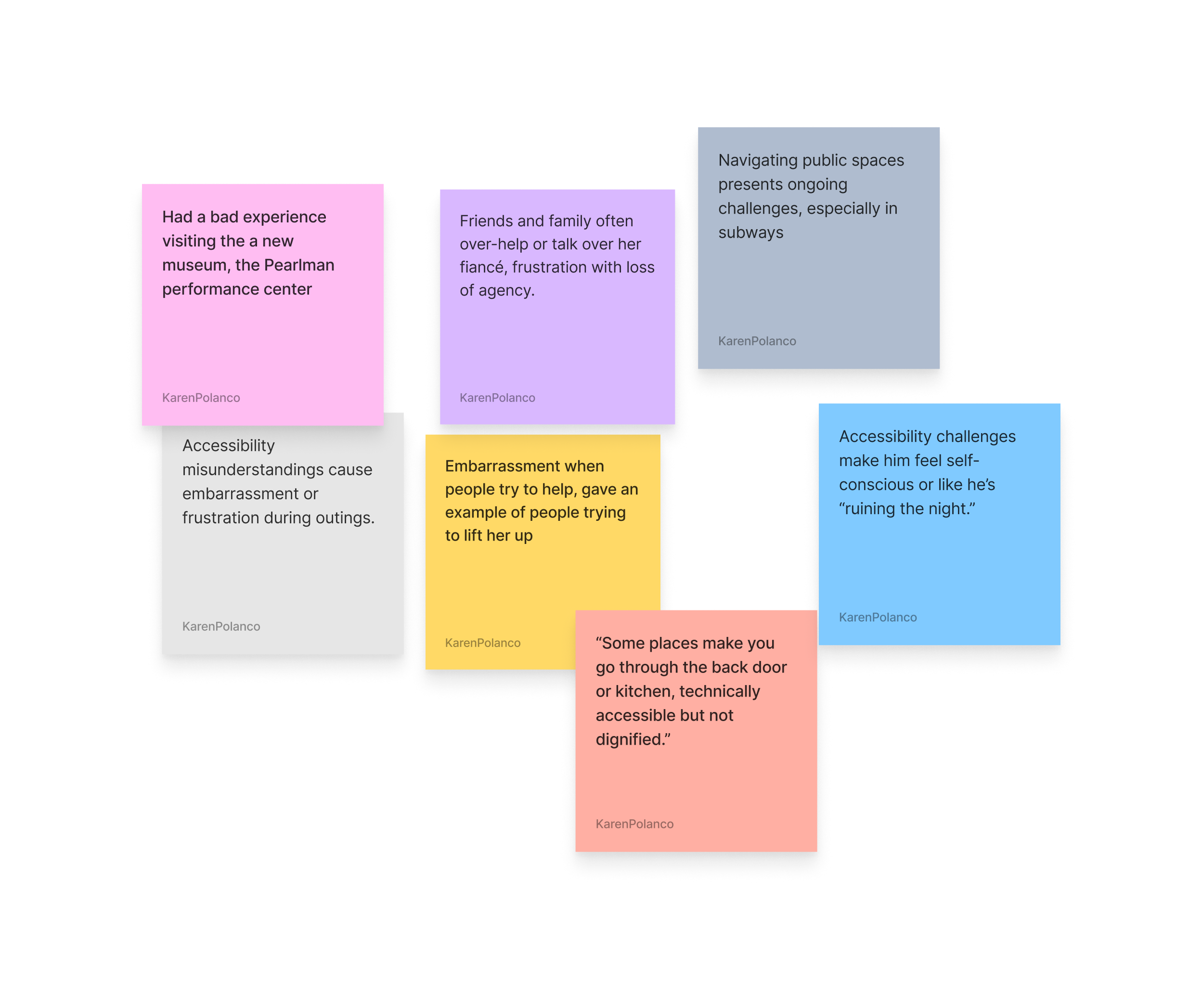
Across interviews, three consistent pain points emerged:
Accessibility misunderstandings cause embarrassment or frustration during outings.
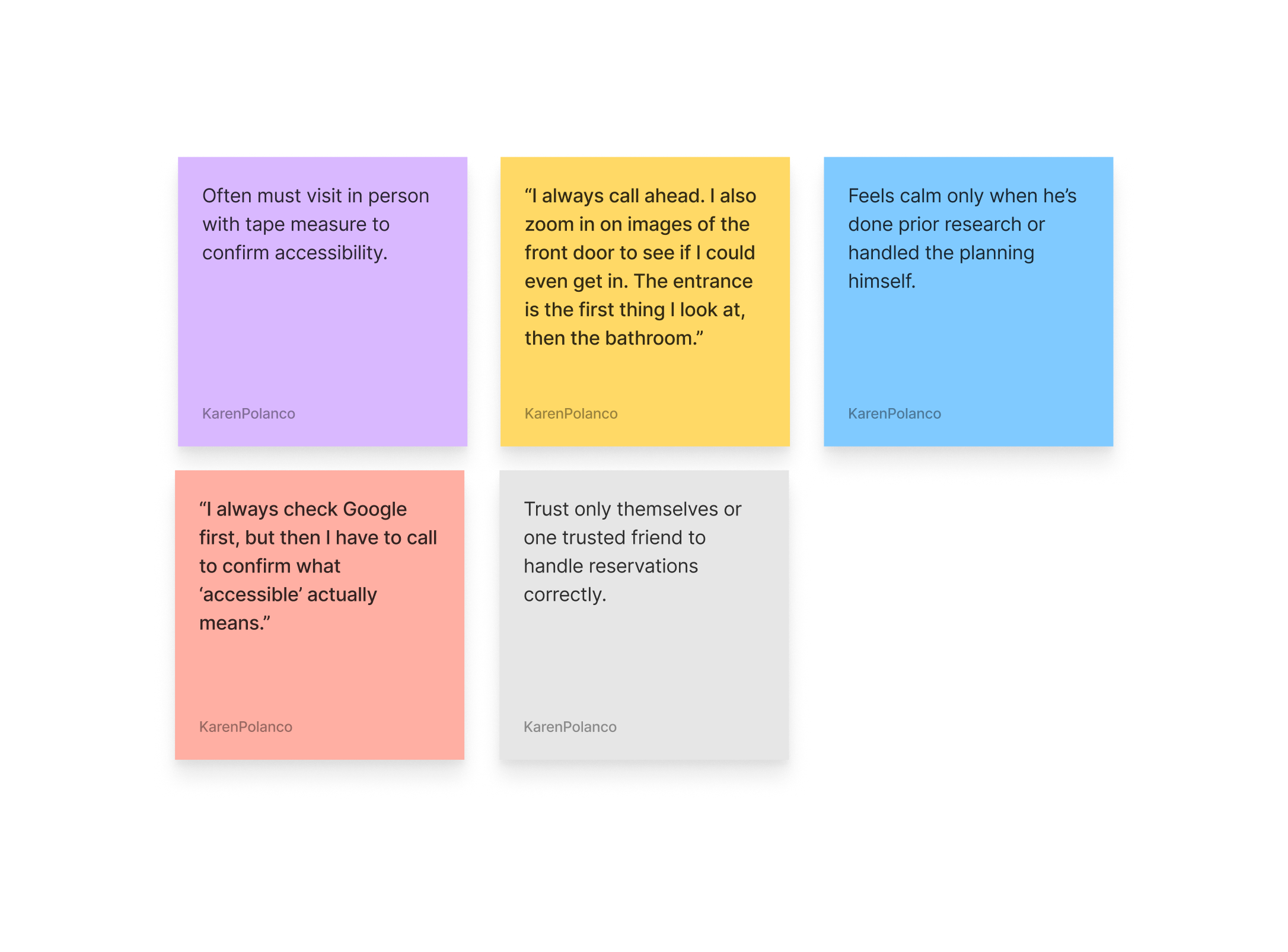
Mistrust of others to plan accessible outings.
Inaccessible public spaces despite ADA claims
Designing for the Adaptive Home Seeker
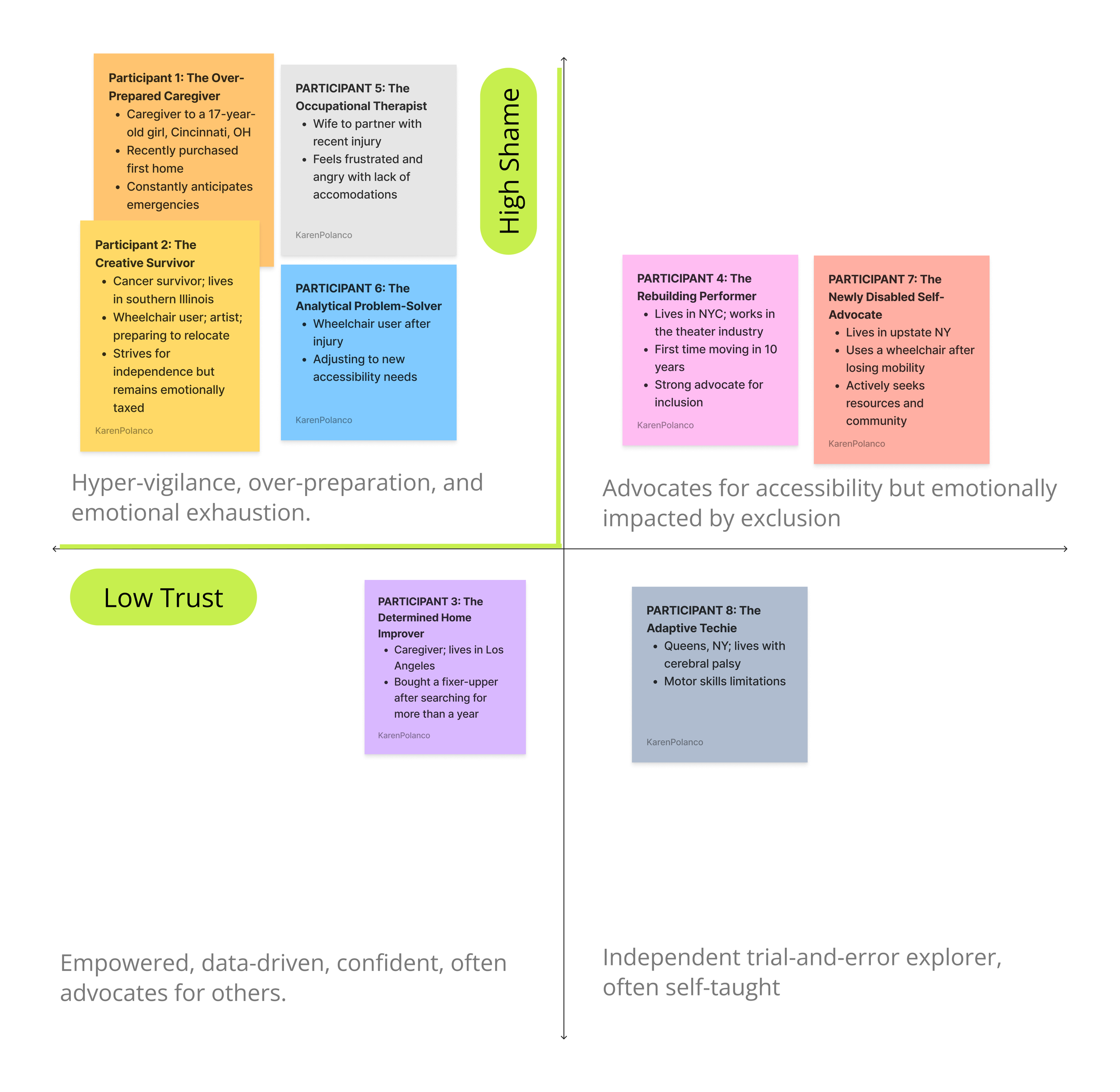
From behavioral patterns, I identified four types:
Including people actively searching for homes, caregivers assisting loved ones, and advocates working to improve accessibility awareness. I chose to focus on the Adaptive Home Seeker - motivated, independent, and experienced, but fatigued by the constant need to verify accessibility.
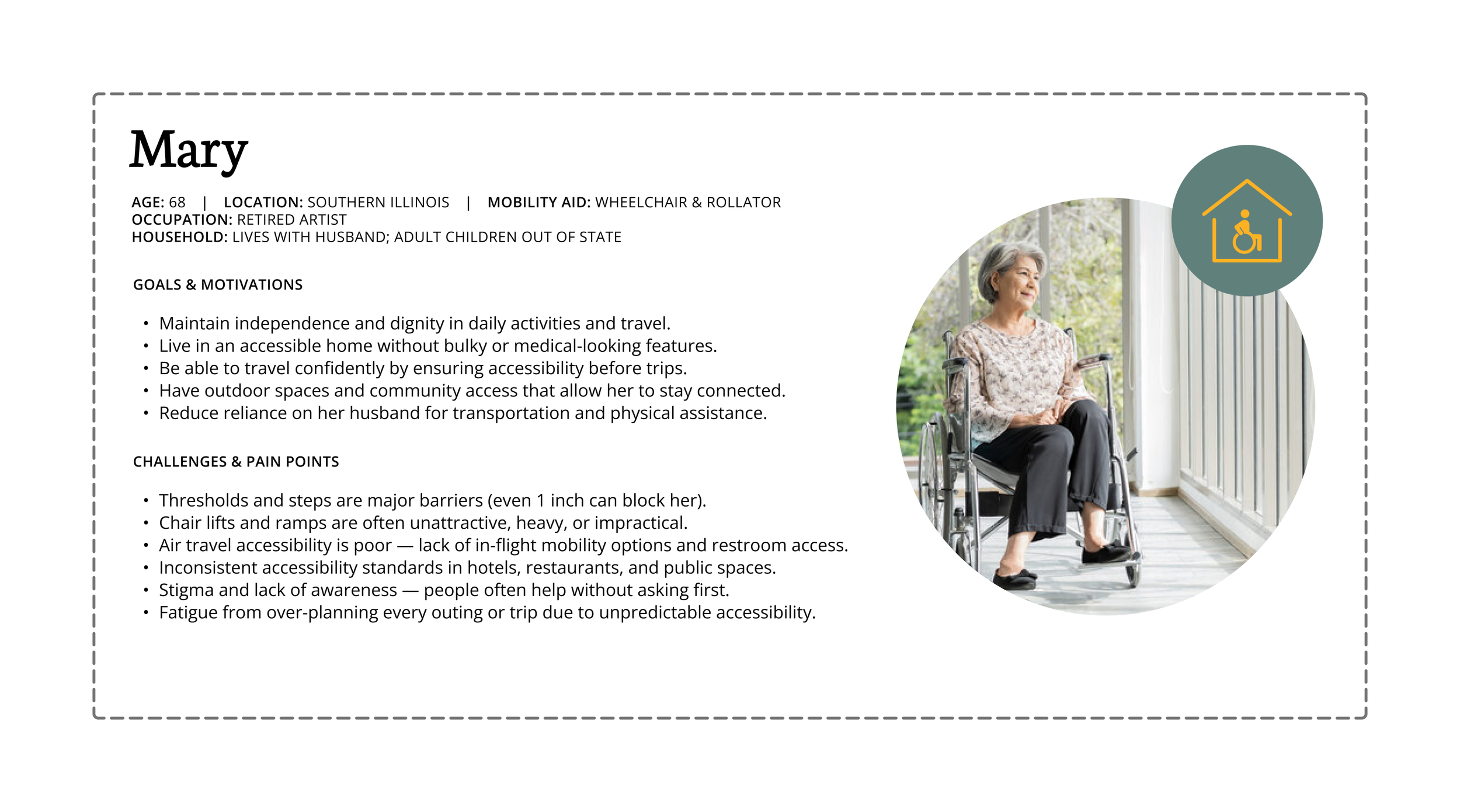
Meet Mary
A retired artist who uses a wheelchair after cancer treatment.
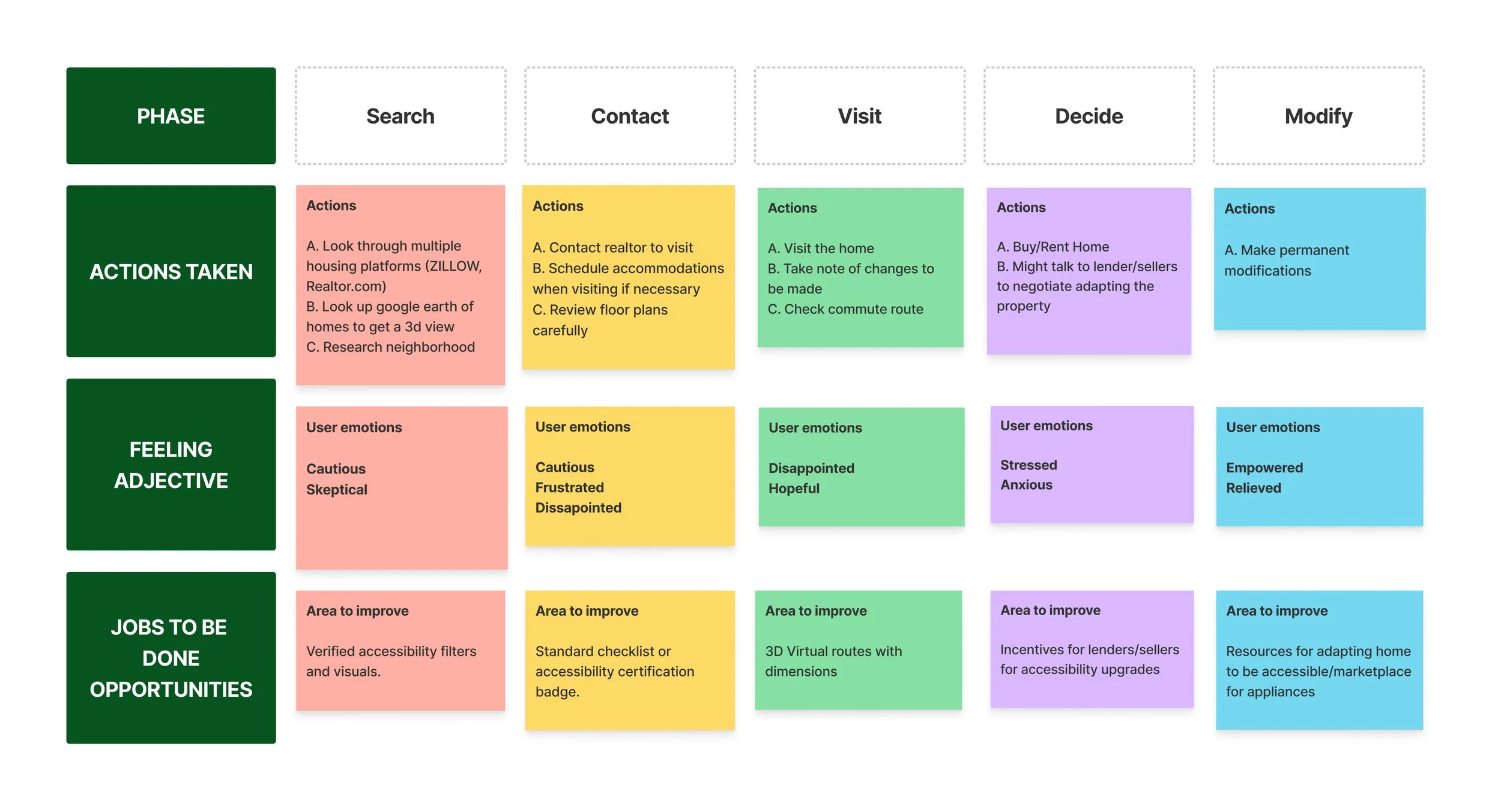
Mary’s Journey Map
Mary’s emotional journey showed a clear progression:
Turning Insight into Direction
My research pointed toward four major opportunities:


Verified Accessibility Information
Trustworthy checklists, photos, and measurements help remove uncertainty.
Personalized Filters
Accessibility varies: mobility, sensory, cognitive.
Users need filters that reflect their real requirements.
Community Feedback Loop
People trust lived experiences from others with similar needs.


Home modification suggestions
Users want help understanding modifications or usability before a visit.
Introducing HomeEase
HomeEase helps users:
HomeEase is a housing discovery platform built for people with support needs.
It combines:
Verified accessibility listings
Personalized accessibility filters
Modification guidance powered by AI
Connections to accessibility-trained realtors
Clearly see whether a home fits their needs
Compare verified accessibility information
Understand modification possibilities
Save and share options with caregivers or professionals
Make confident decisions based on truth, not assumptions
Defining the MVP
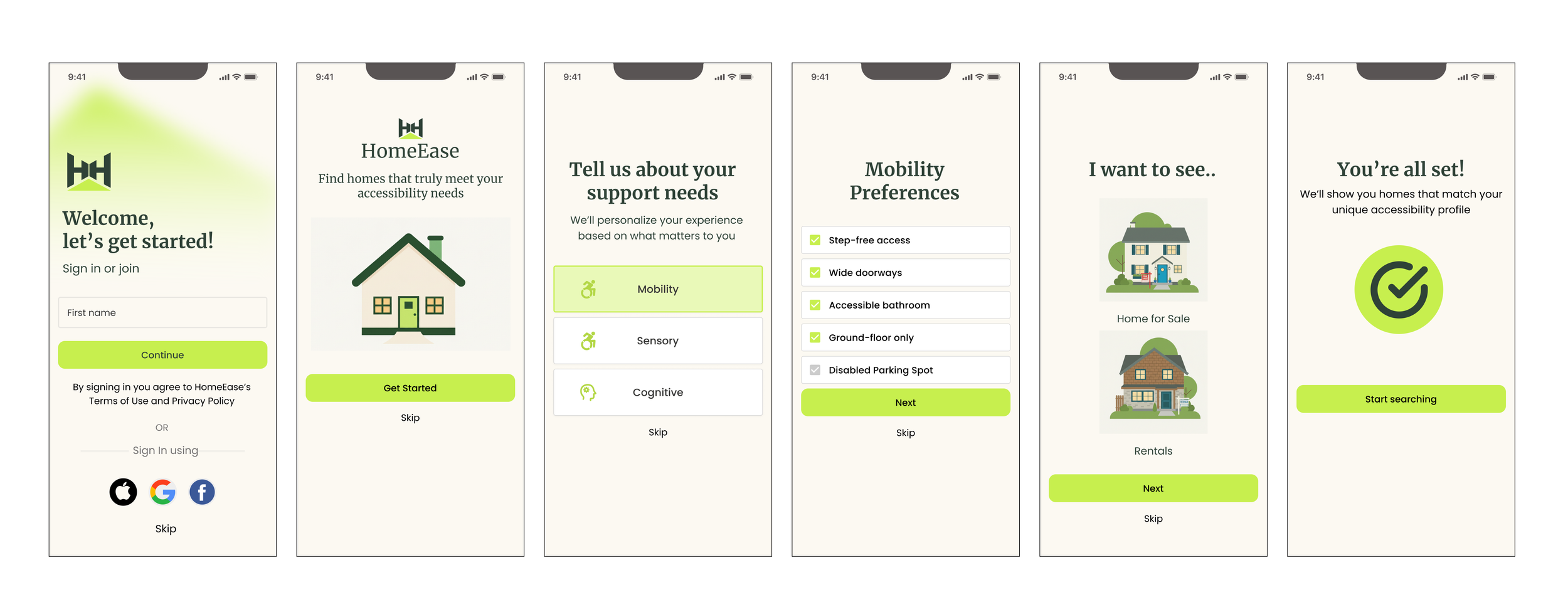
The MVP focuses on one core moment:
Evaluating accessibility recommendations within a listing.
To support this moment, I also designed:
An onboarding flow to capture accessibility needs
A basic homepage and listing navigation flow
This ensures recommendations are personalized from the start.
The Core Experience
HomeEase simplifies the process through a clear, 5-step flow:
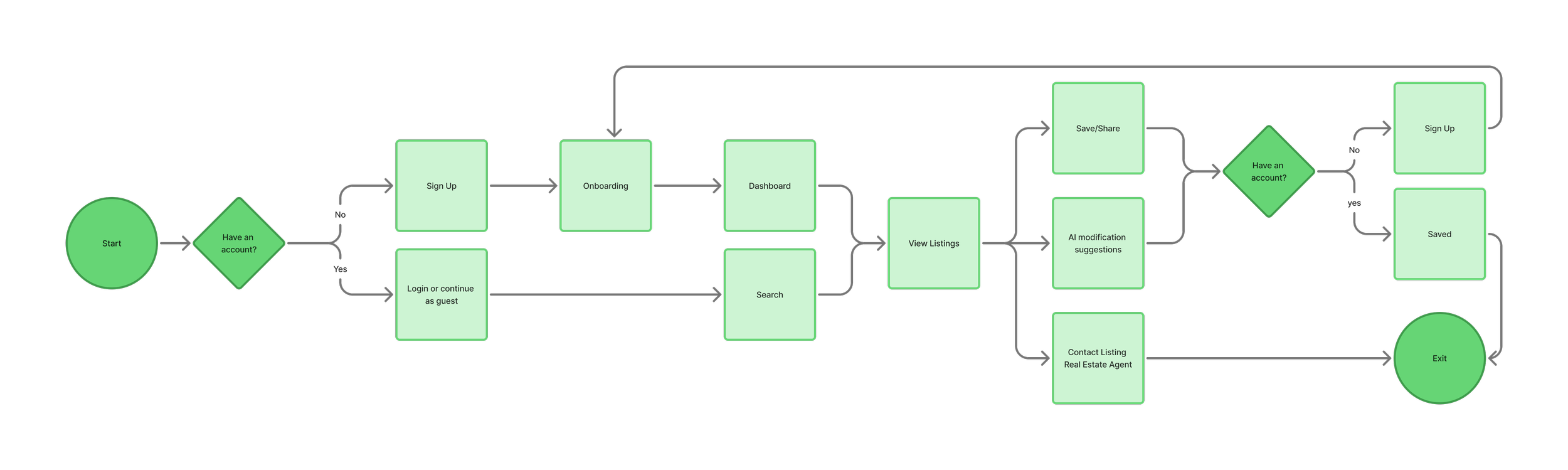
Primary flow:
Onboarding: select accessibility needs
Browse listings filtered by needs
Open a listing
Review verified accessibility + AI recommendations
Save, share, or contact a realtor
Validating the Structure
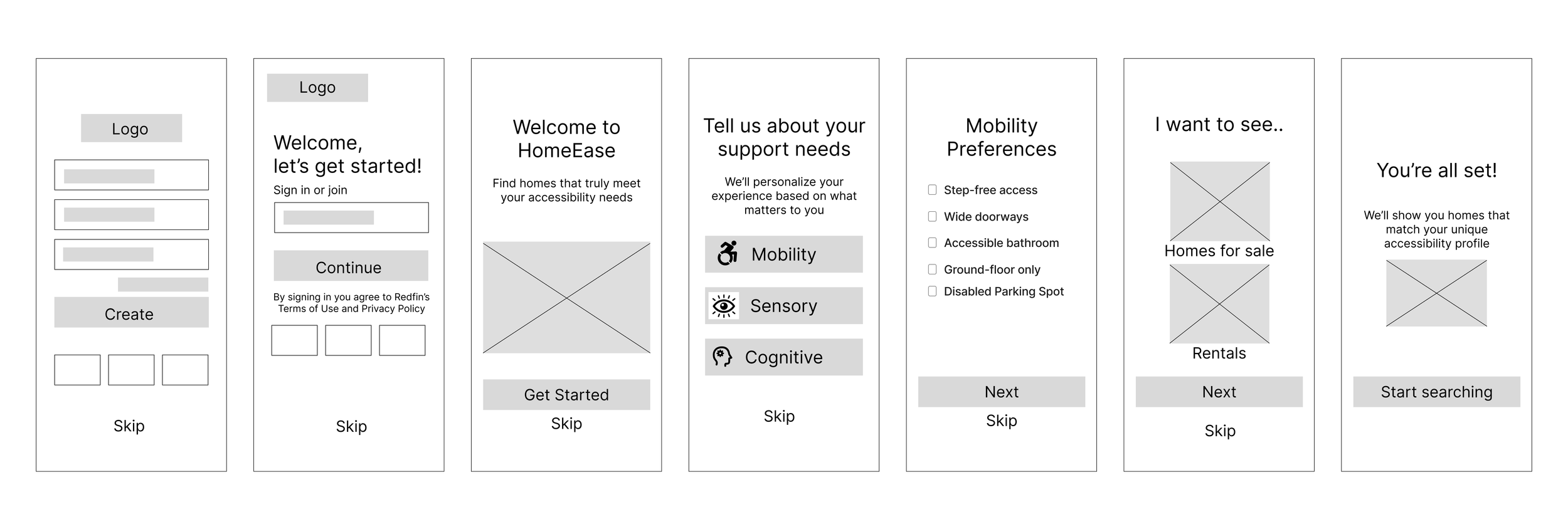
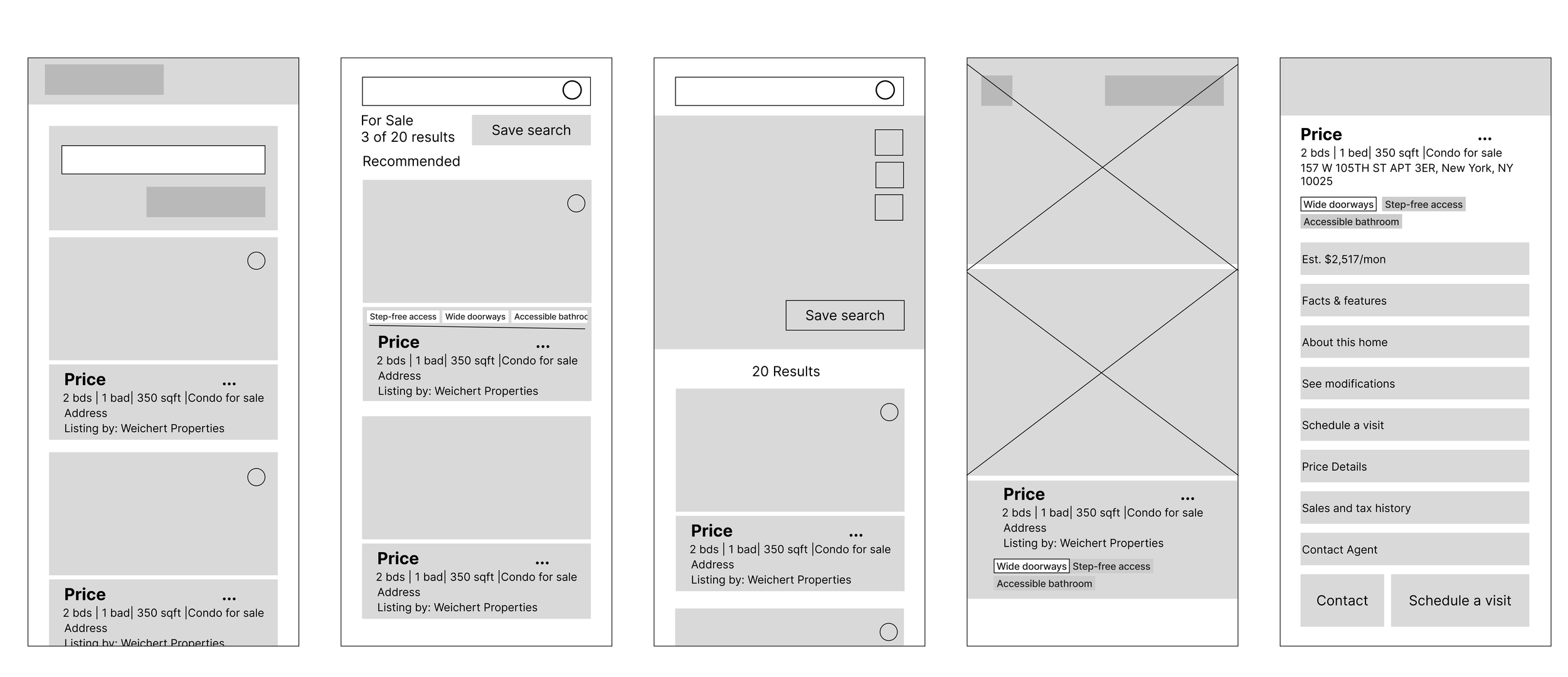
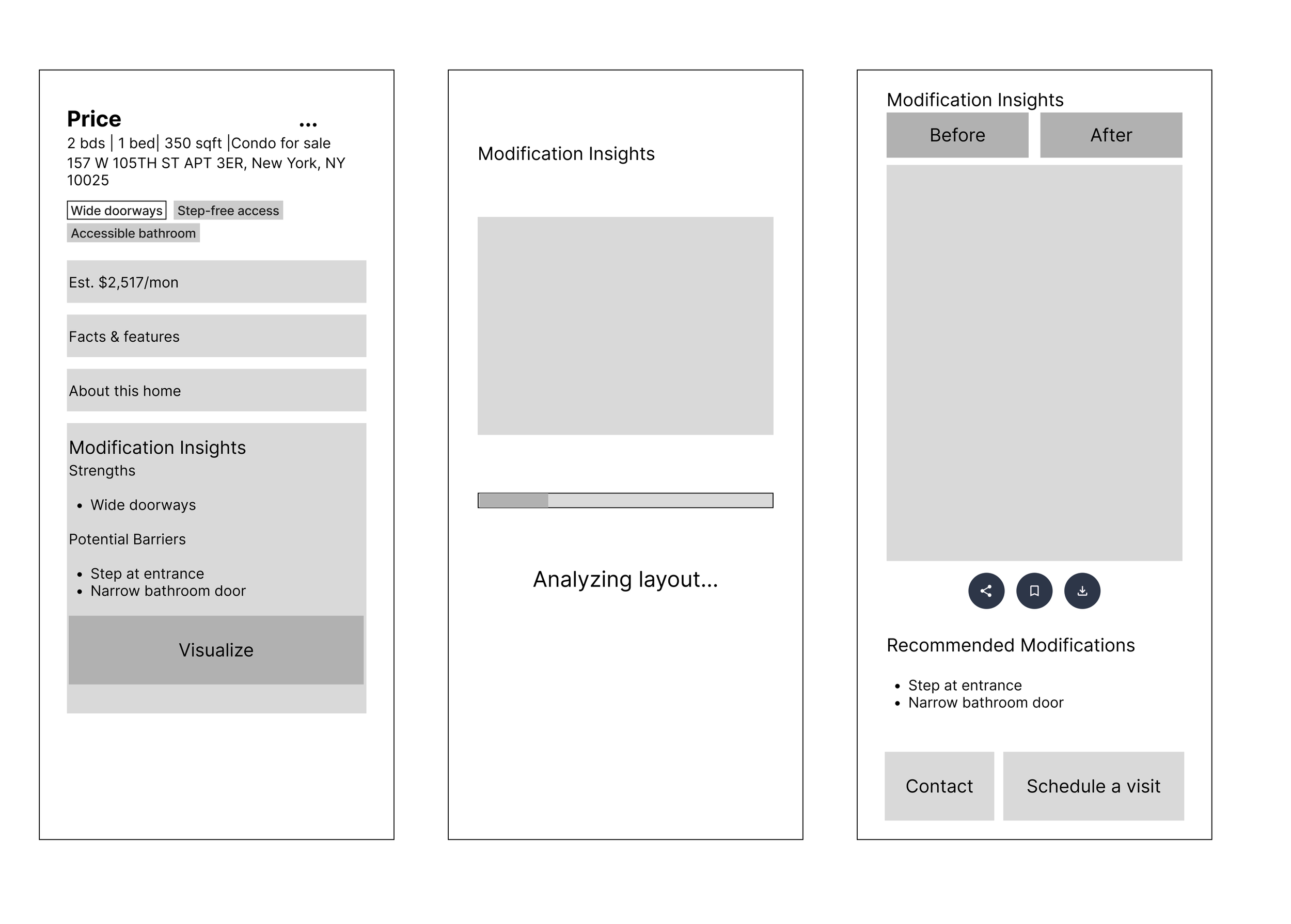
Mid-fidelity wireframes focused on:
Information hierarchy
Reducing cognitive load
Making accessibility scannable
These screens validated structure before visual design.
Refining the Experience
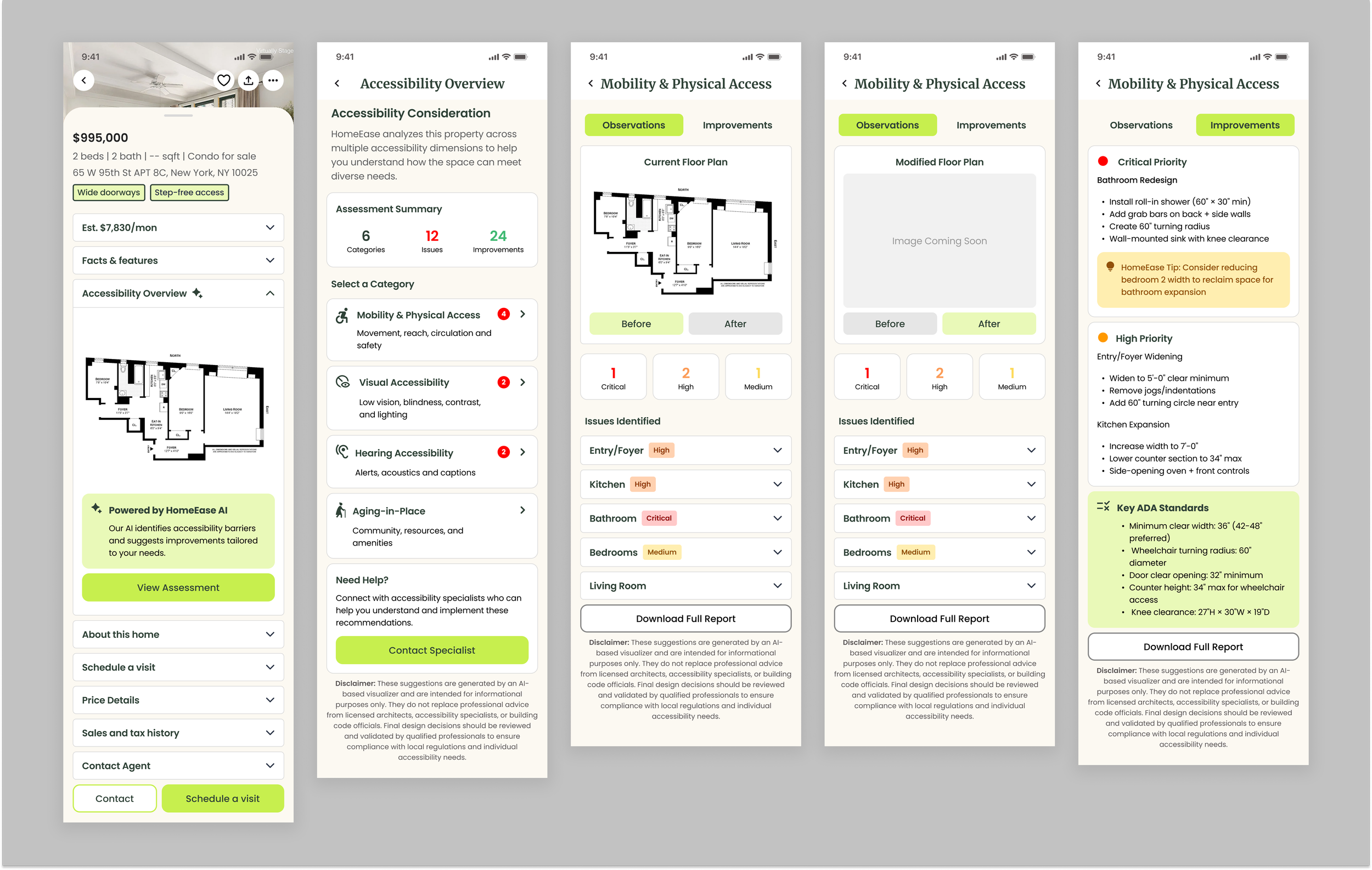
High-fidelity designs refined:
Accessibility indicators
Trust and clarity
Calm, professional visual language
Designing Beyond Labels
This project emphasized that accessibility is not binary.
Clear, honest information builds trust more than labels.
If expanded, future work could include:
Cost estimates for modifications
Community verification
Partnerships with accessibility inspectors
HomeEase demonstrates how focused MVP design can address complex accessibility challenges.
Next Up
Gateways Creative
Defined the interaction framework for a physical–digital immersive gaming experience, aligning spatial behavior with real-time UI feedback. Simplified complex gameplay systems to enhance usability and player coordination.