Gateways Creative
Designing a Physical-Digital Interactive Experience
Tools
Figma · FigJam · Illustrator
Role
Product Designer (UX/UI, Interaction, Systems Design)
Project Type
Location-Based Gaming · Spatial UX · Interactive Systems
Overview
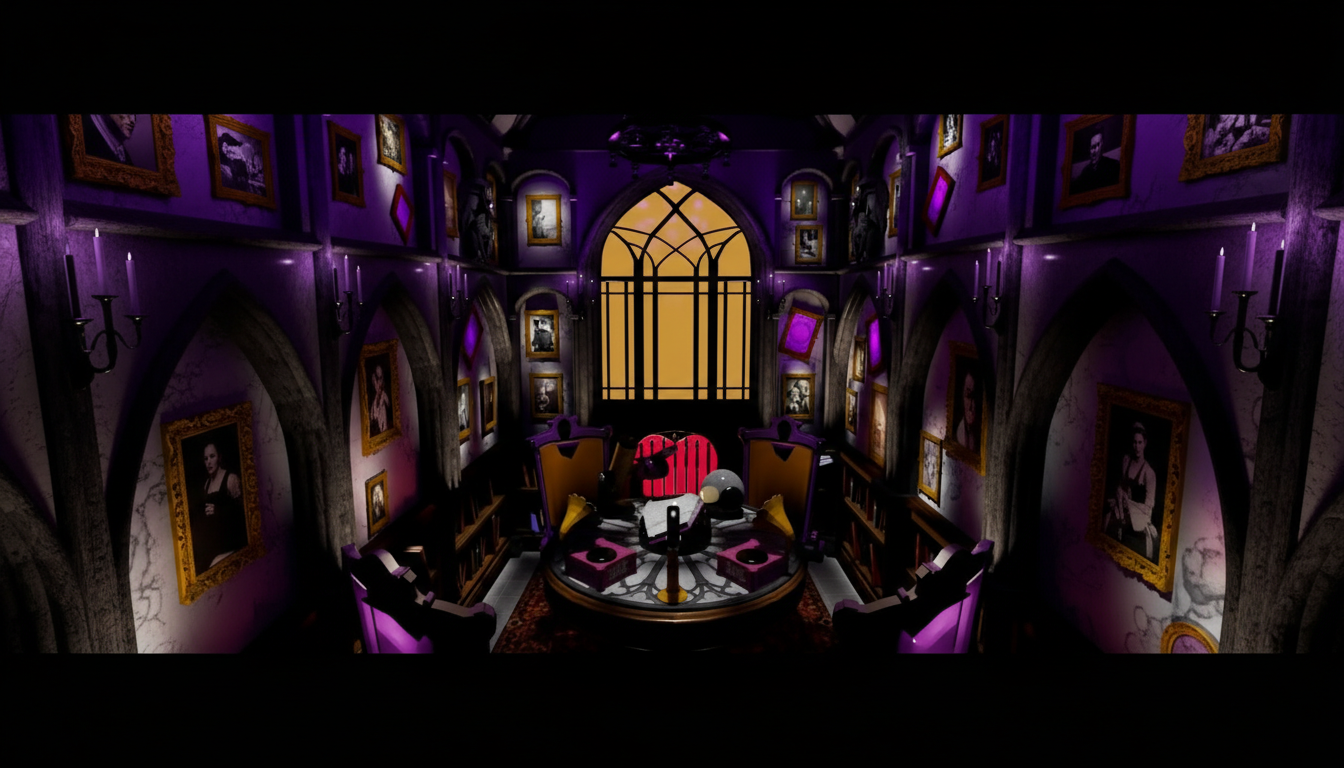
Gateways Cinescape is a location-based reality gaming experience that blends physical props with real-time projected interfaces.
For Ghost Writer’s Study, I designed the interactive UI systems supporting a 4-vs-1 asymmetric horror gameplay experience.
The Experience at a Glance
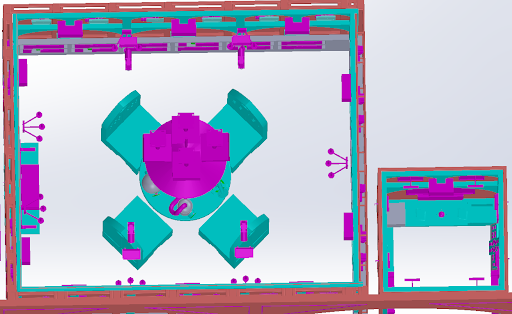
Four players act as ghost hunters seated around a spinning séance table.
One solo player controls the ghosts from a hidden control room.
The game unfolds across:
4 projected walls (shared interface)
Physical interaction props
A real-time ghost controller dashboard
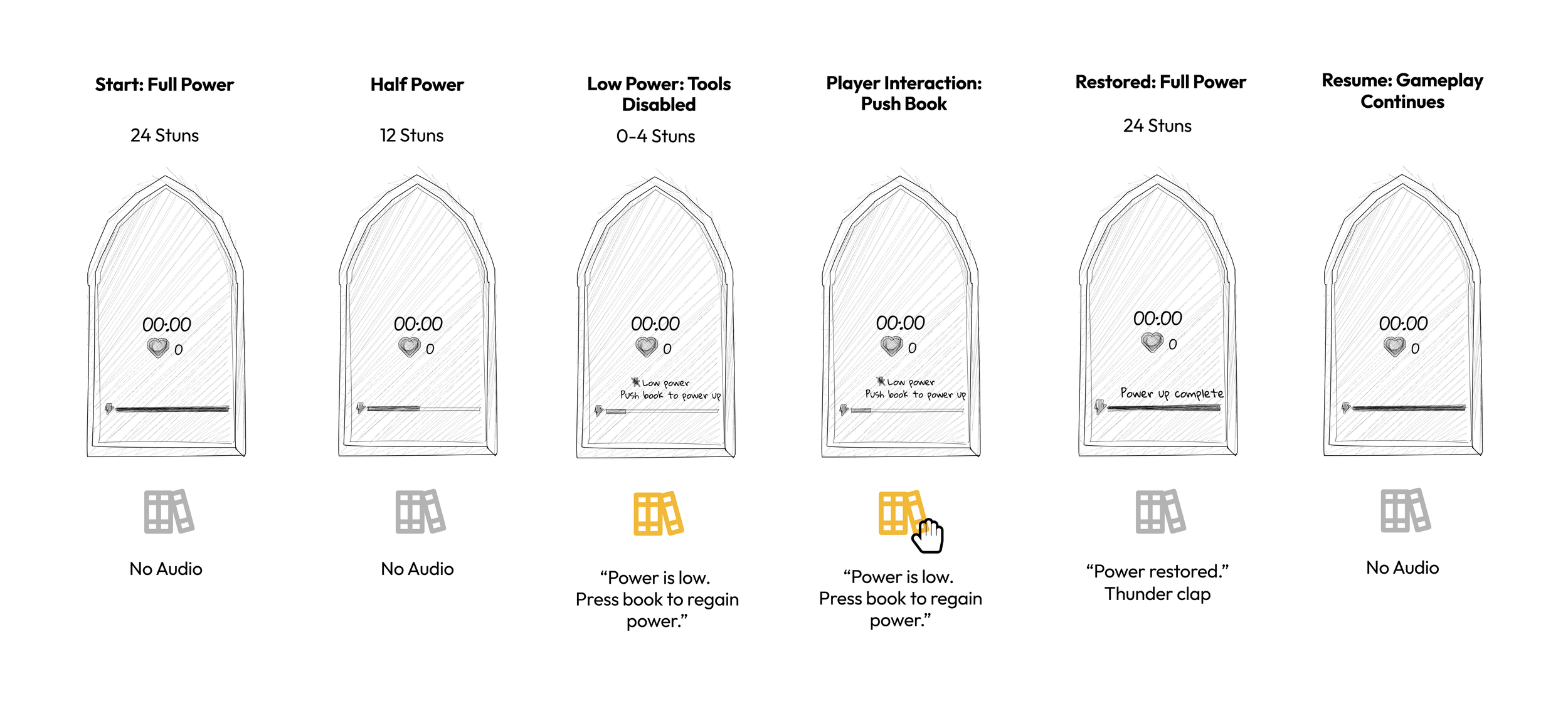
System 1: The Projected Gothic Window
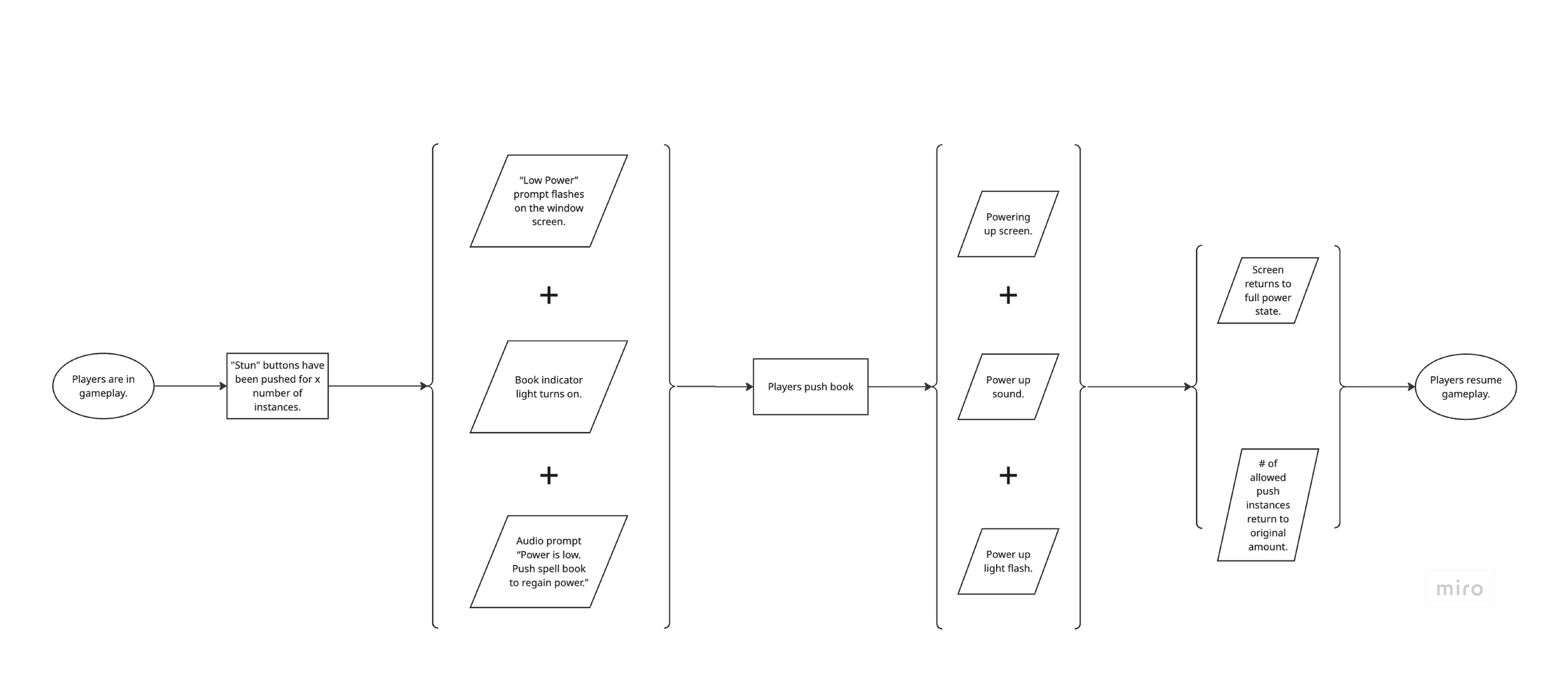
System 2: Ensemble Table Interaction
Detection Loop

Stun & Capture States

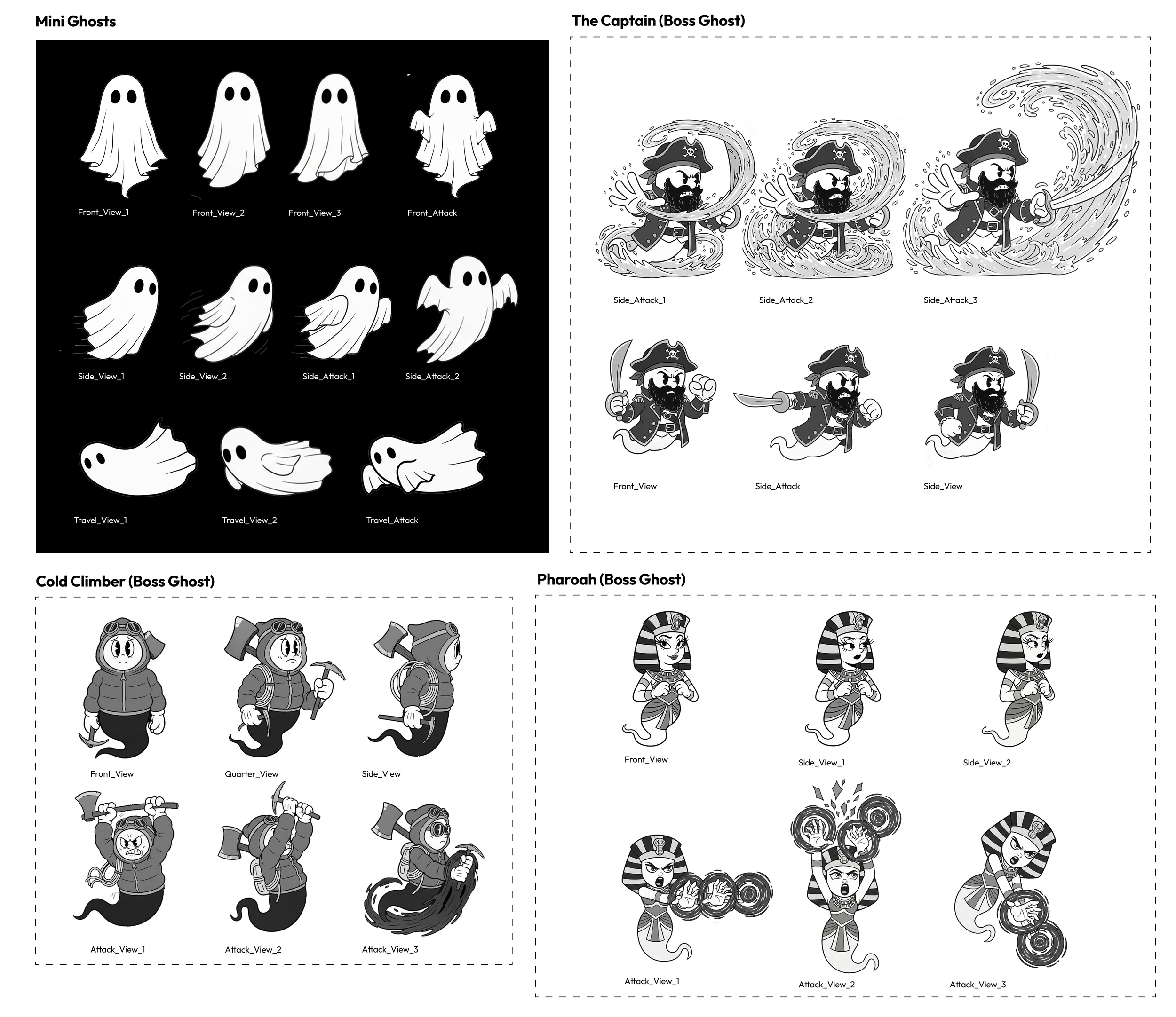
System 3: Solo Ghost Controller Room
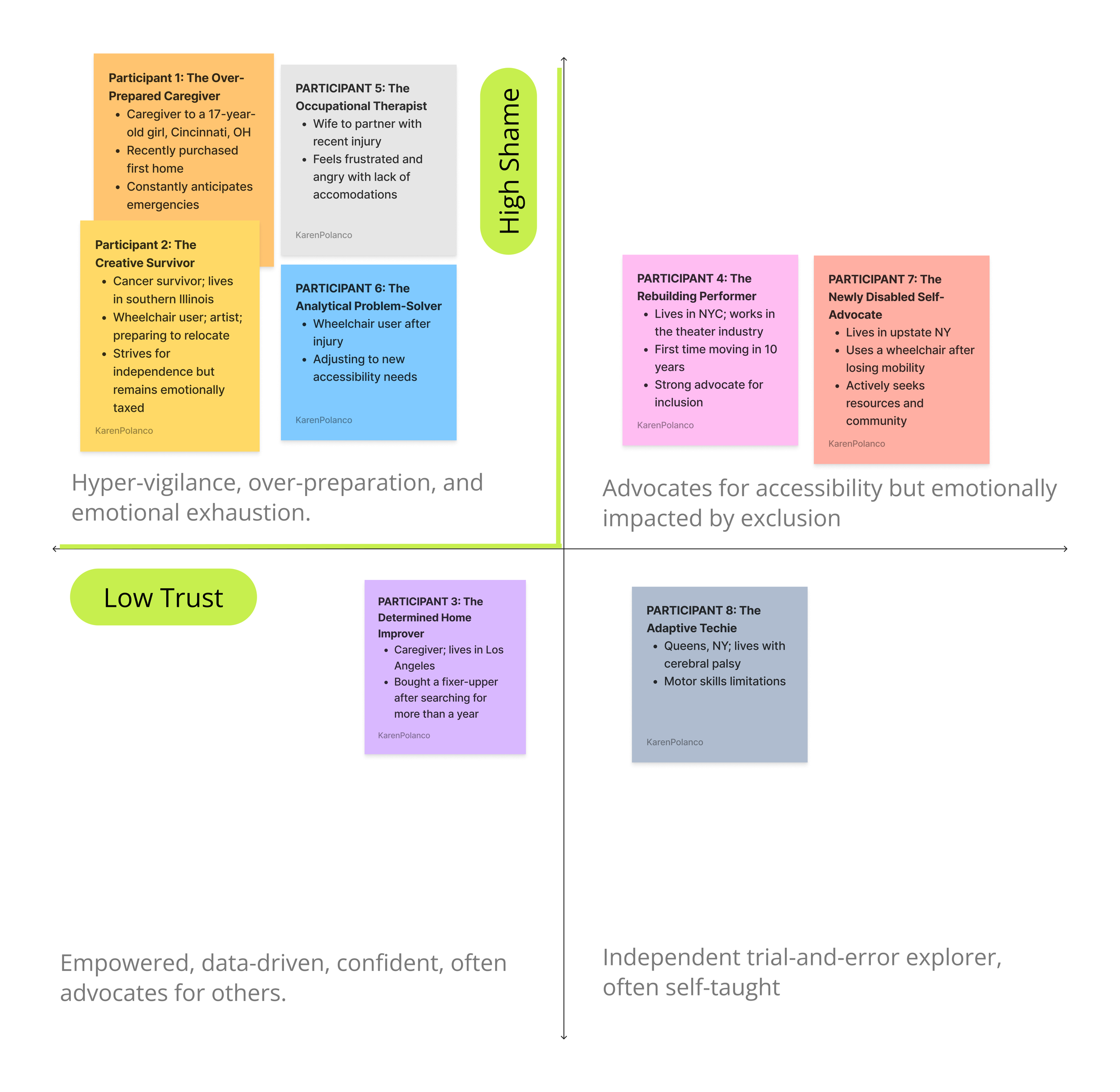
From behavioral patterns, I identified four types:
Including people actively searching for homes, caregivers assisting loved ones, and advocates working to improve accessibility awareness. I chose to focus on the Adaptive Home Seeker - motivated, independent, and experienced, but fatigued by the constant need to verify accessibility.
Designed for Scalability
Modular Framework
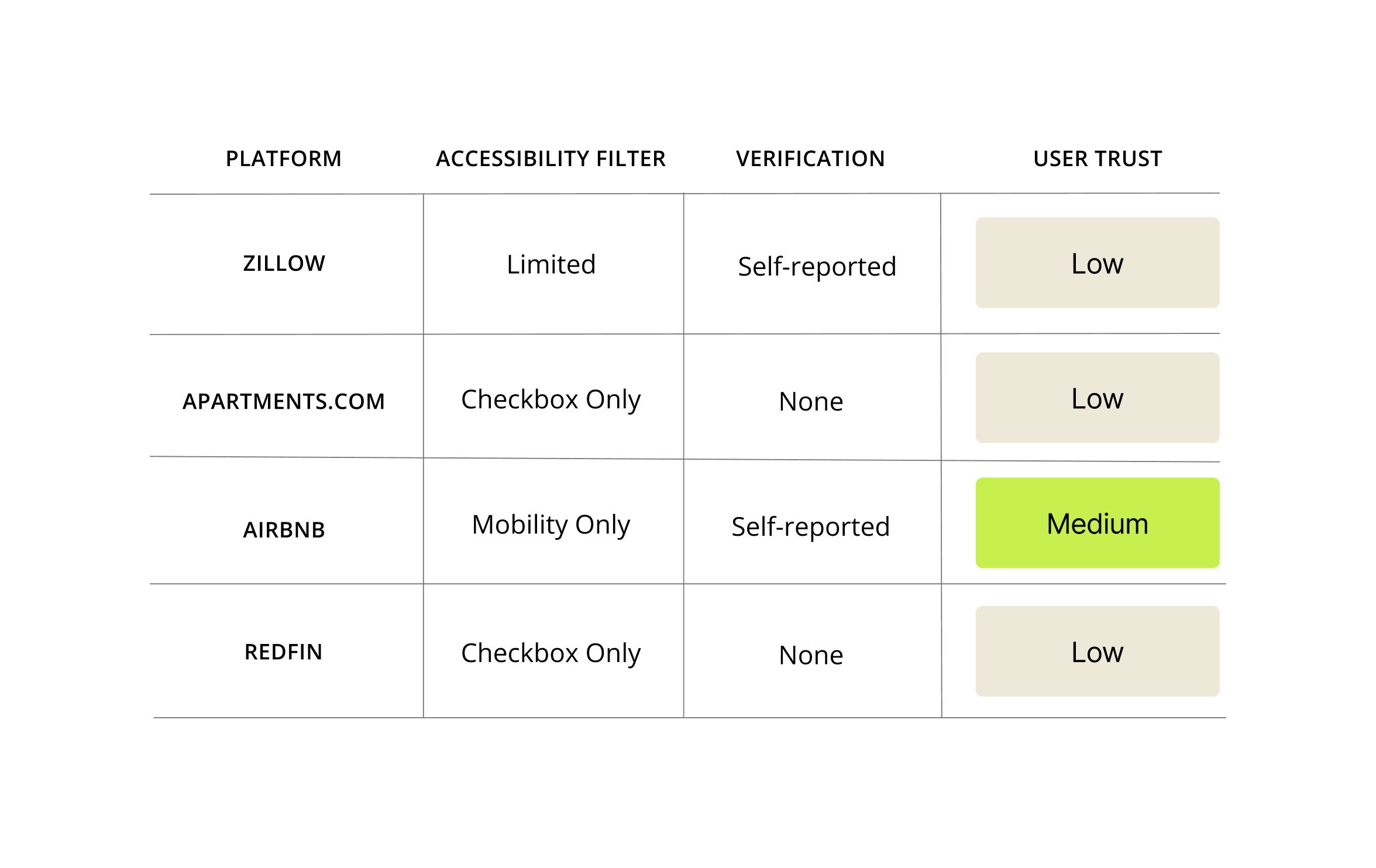
Key Recommendations
My research pointed toward four major opportunities:


Verified Accessibility Information
Trustworthy checklists, photos, and measurements help remove uncertainty.
Personalized Filters
Accessibility varies: mobility, sensory, cognitive.
Users need filters that reflect their real requirements.
Community Feedback Loop
People trust lived experiences from others with similar needs.


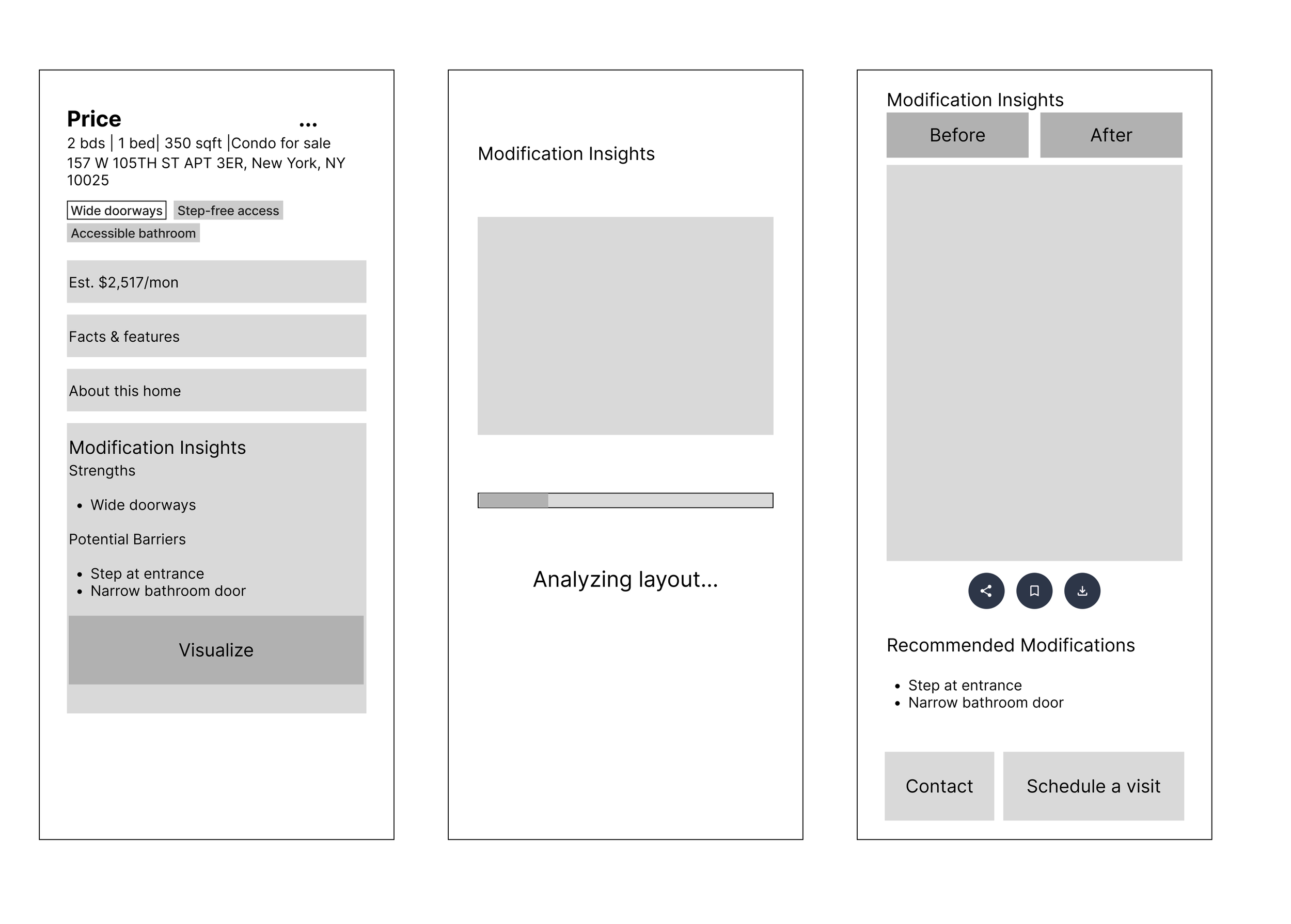
Home modification suggestions
Users want help understanding modifications or usability before a visit.
Solution: HomeEase
HomeEase helps users:
HomeEase is a housing discovery platform built for people with support needs.
It combines:
Verified accessibility listings
Personalized accessibility filters
Modification guidance powered by AI
Connections to accessibility-trained realtors
Clearly see whether a home fits their needs
Compare verified accessibility information
Understand modification possibilities
Save and share options with caregivers or professionals
Make confident decisions based on truth, not assumptions
Defining the MVP
The MVP focuses on one core moment:
Evaluating accessibility recommendations within a listing.
To support this moment, I also designed:
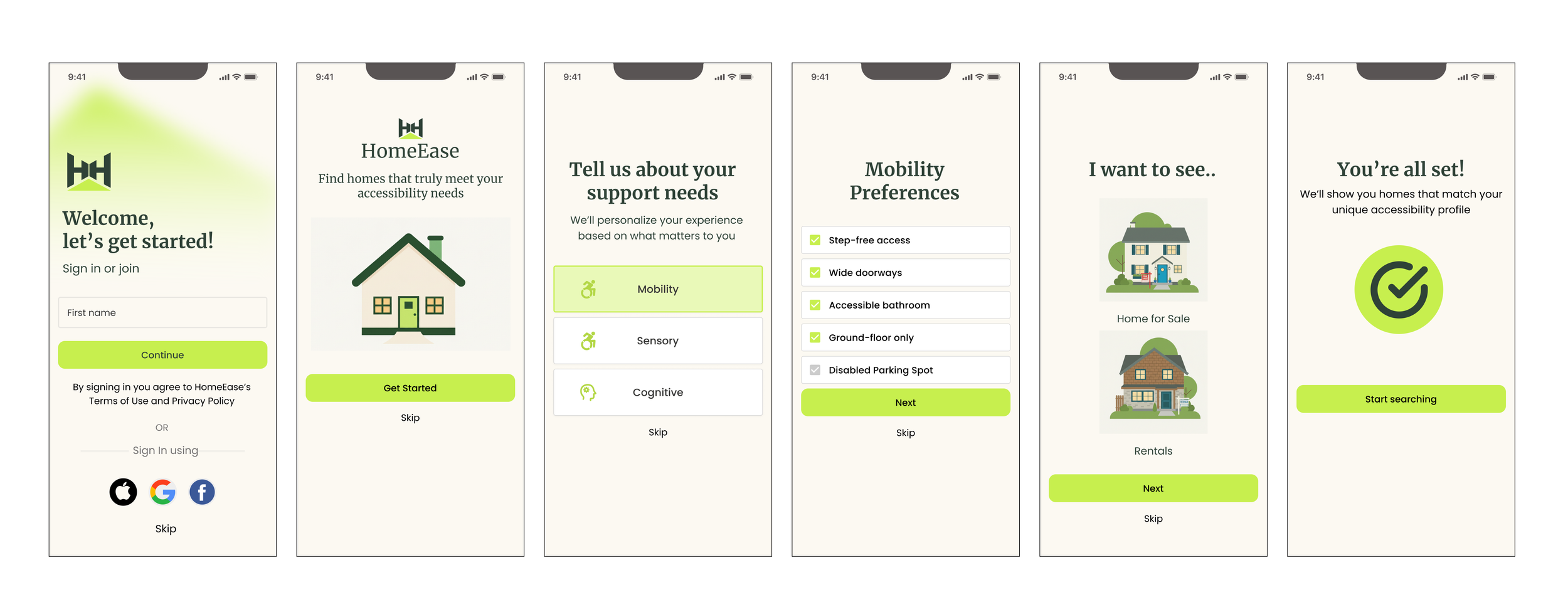
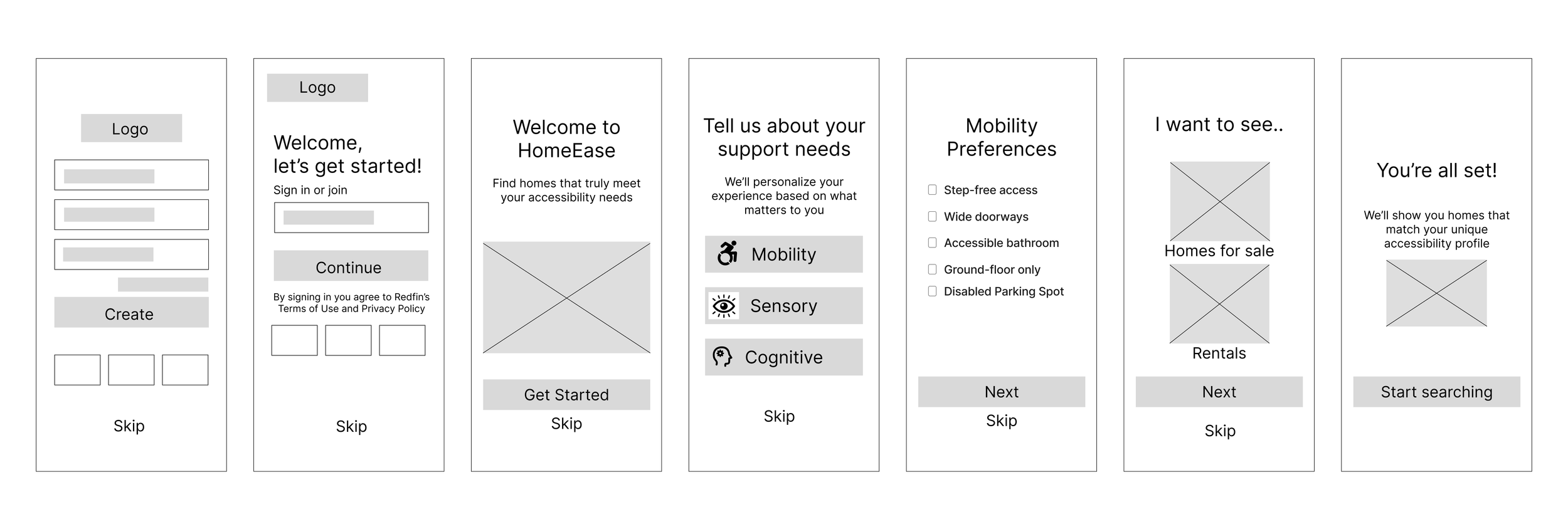
An onboarding flow to capture accessibility needs
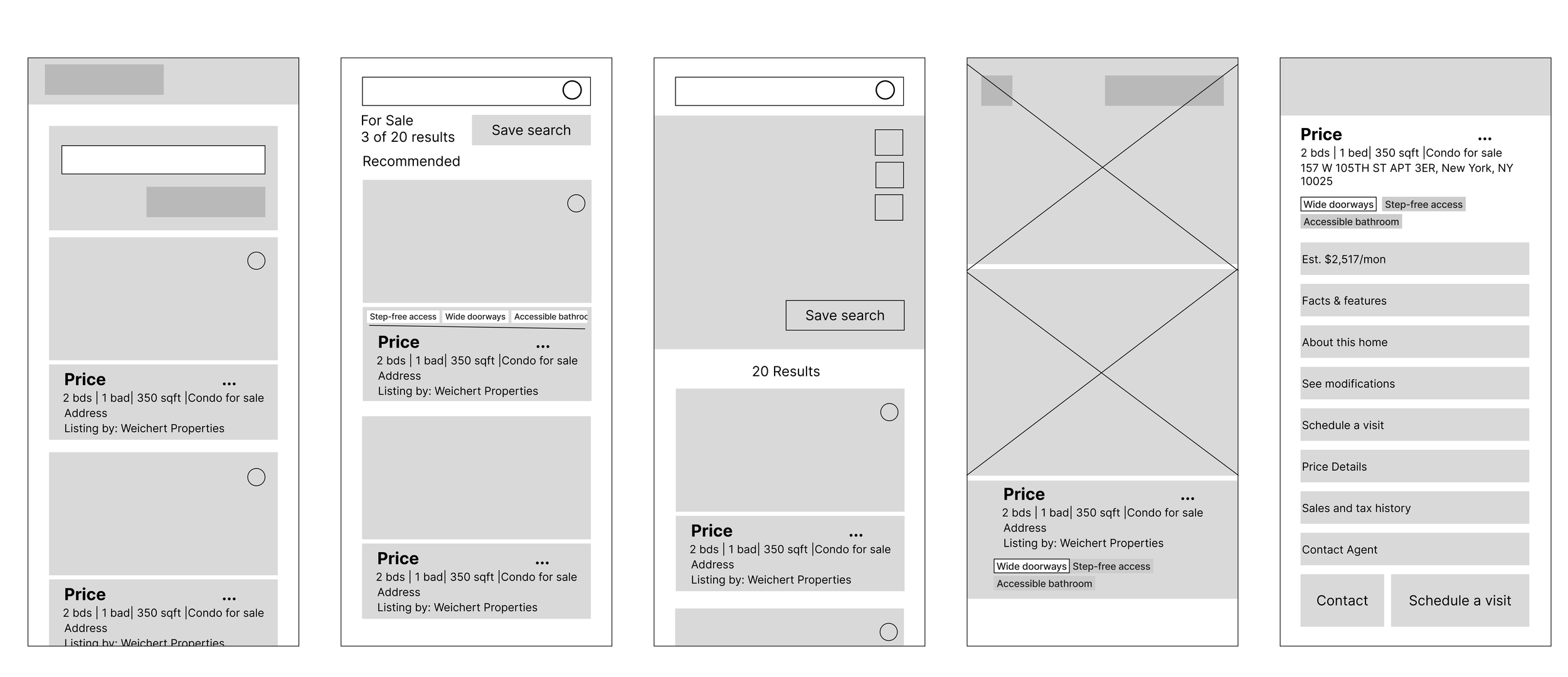
A basic homepage and listing navigation flow
This ensures recommendations are personalized from the start.
Key User Flow
HomeEase simplifies the process through a clear, 5-step flow:
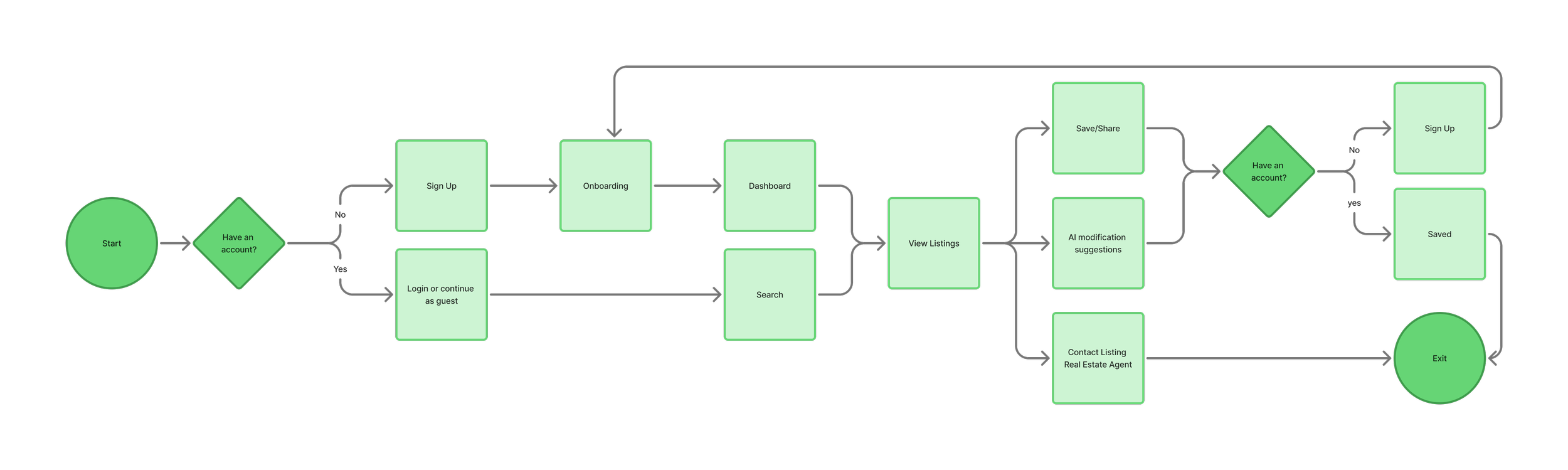
Primary flow:
Onboarding: select accessibility needs
Browse listings filtered by needs
Open a listing
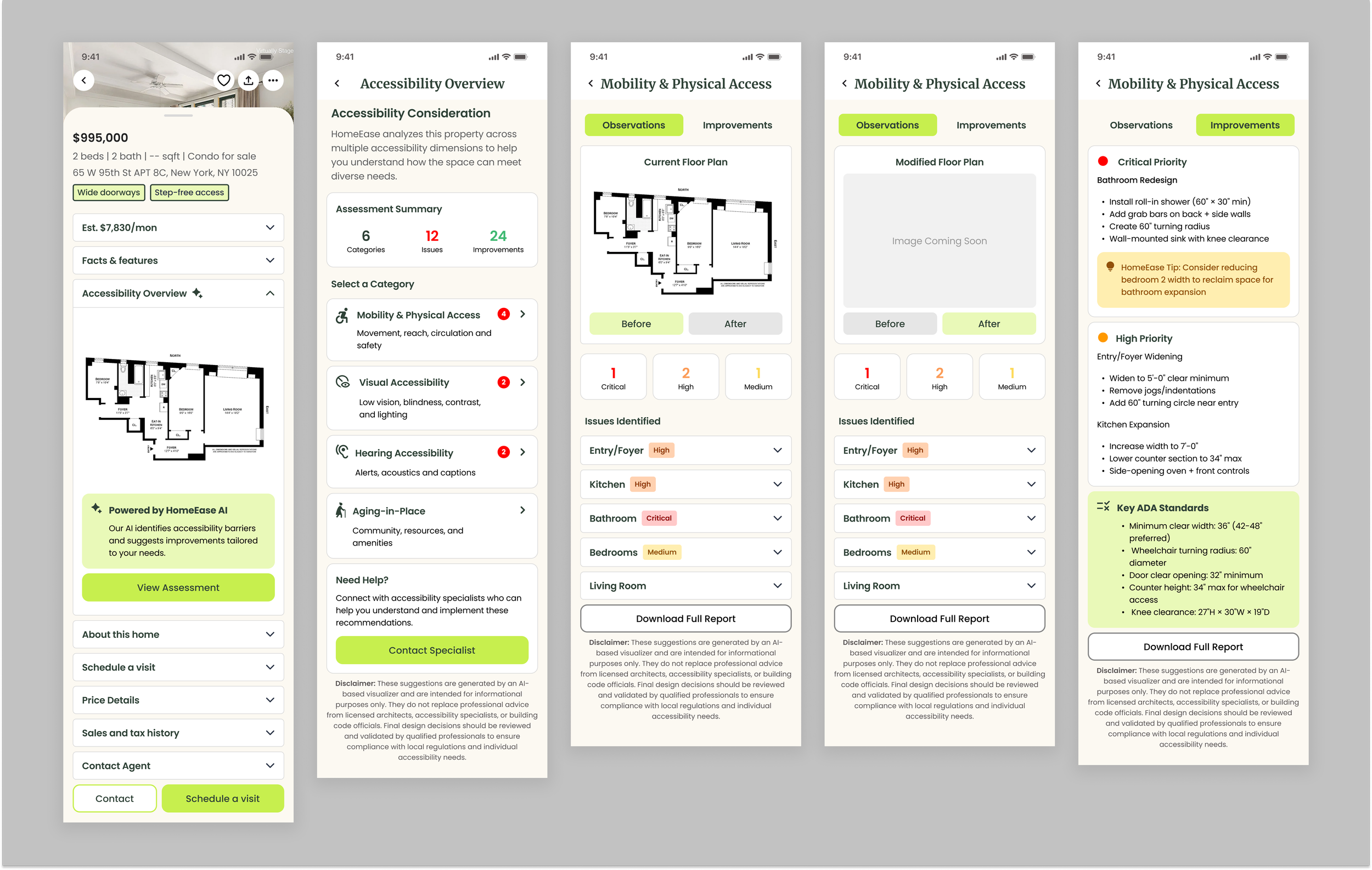
Review verified accessibility + AI recommendations
Save, share, or contact a realtor
Mid-Fidelity Wireframes
Mid-fidelity wireframes focused on:
Information hierarchy
Reducing cognitive load
Making accessibility scannable
These screens validated structure before visual design.
High-Fidelity MVP Screens
High-fidelity designs refined:
Accessibility indicators
Trust and clarity
Calm, professional visual language
Refection & Next Steps
This project emphasized that accessibility is not binary.
Clear, honest information builds trust more than labels.
If expanded, future work could include:
Cost estimates for modifications
Community verification
Partnerships with accessibility inspectors